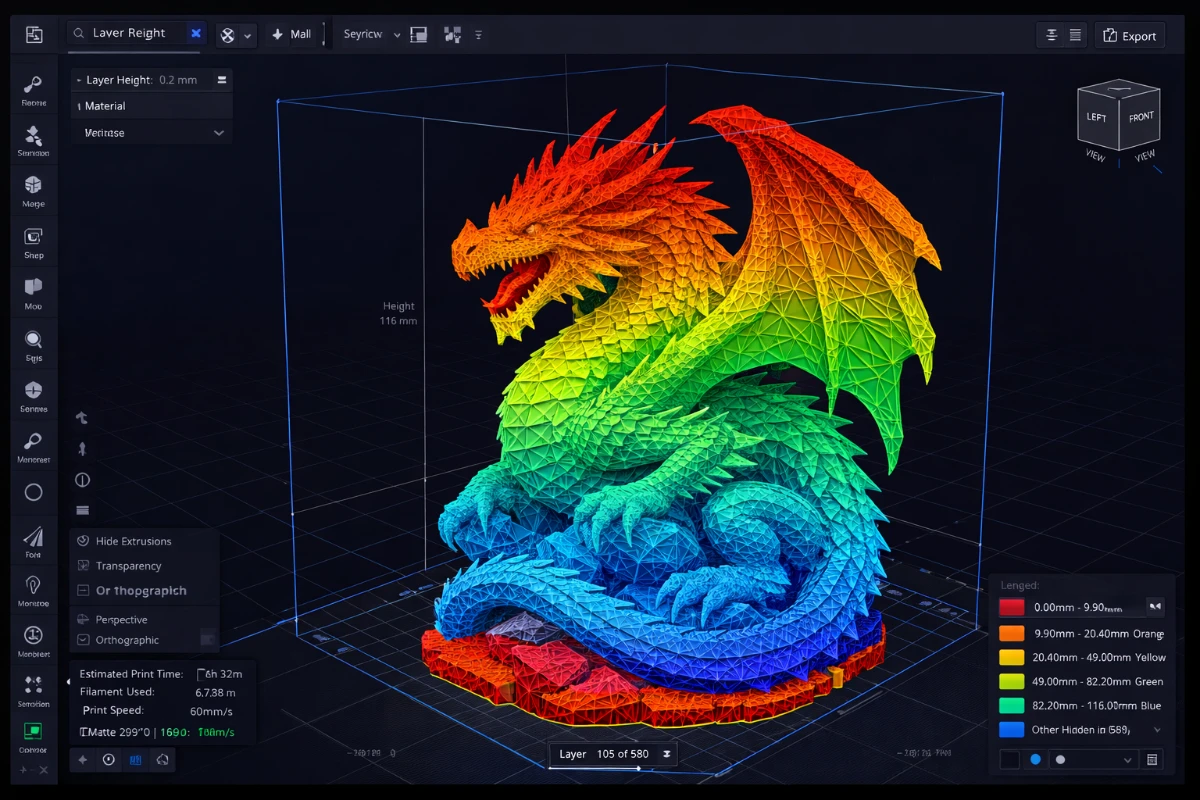
A slicer is the essential bridge between your 3D model and your 3D printer. It is software that converts a 3D model (STL or OBJ) into instructions (G-code) that a 3D printer can follow, by “slicing” the model into thin horizontal layers. Without a slicer, your printer has no way to know how to physically build the object.
What Does a Slicer Do?
The slicer calculates the exact path the print head (or resin vat, for SLA) must follow for each layer. It determines the amount of material needed, where to place support structures for overhanging geometry, and generates a print time estimate. The final output is a G-code file (for FDM) or a photopolymer file like .ctb or .photon (for resin printers).
Key Calculations a Slicer Performs
- Layer height – How thick each horizontal slice is (typically 0.05mm to 0.3mm)
- Infill pattern and density – How solid the inside of the print is (0% = hollow, 100% = completely solid)
- Supports – Temporary structures to hold up overhanging parts during printing
- Print speed – How fast the print head moves in mm/s
- Temperature profiles – Nozzle and bed temperatures for the chosen material
- Retraction settings – Controls oozing of filament when the head moves between areas
Popular Slicer Software
- Cura – Best for FDM printers, free and open-source, supports hundreds of printer profiles. Ideal for beginners and advanced users alike.
- Chitubox – Best for SLA/resin printers, free basic version, excellent automatic support generation
- Lychee – Advanced SLA slicer with intelligent auto-supports, available free and paid
- PrusaSlicer – Great open-source FDM slicer with advanced features and multi-material support
- Bambu Studio – Optimized for Bambu Lab printers but works with others, very fast slicing
How to Choose the Right Slicer
The best slicer depends primarily on your printer type:
For FDM Printers
FDM printers (like Creality, Bambu Lab, Prusa) work best with Cura or PrusaSlicer. Both are free, have large communities, and support a wide range of filament materials including PLA, ABS, PETG, TPU, and more. Cura is more beginner-friendly; PrusaSlicer offers more advanced control.
For Resin Printers
Resin printers (like Elegoo, Anycubic, Phrozen) require dedicated resin slicers. Chitubox is the most widely supported, while Lychee offers superior automatic support placement. Many professionals use both: Lychee for supports and Chitubox for final export.
Understanding Slicer Settings
The most impactful settings to learn as a beginner are layer height, infill density, and support settings. Layer height affects print quality and speed — lower means smoother but slower. Infill affects strength and material usage. Getting these right for your specific print will dramatically improve your results.
Recommended Starter Settings for FDM (PLA)
- Layer height: 0.2mm (balanced quality and speed)
- Infill: 15–20% for decorative, 40%+ for functional parts
- Print speed: 50–60mm/s for most printers
- Nozzle temperature: 200–210°C
- Bed temperature: 60°C
Learn more about each slicer in our dedicated articles on the SANIX3D Blog.