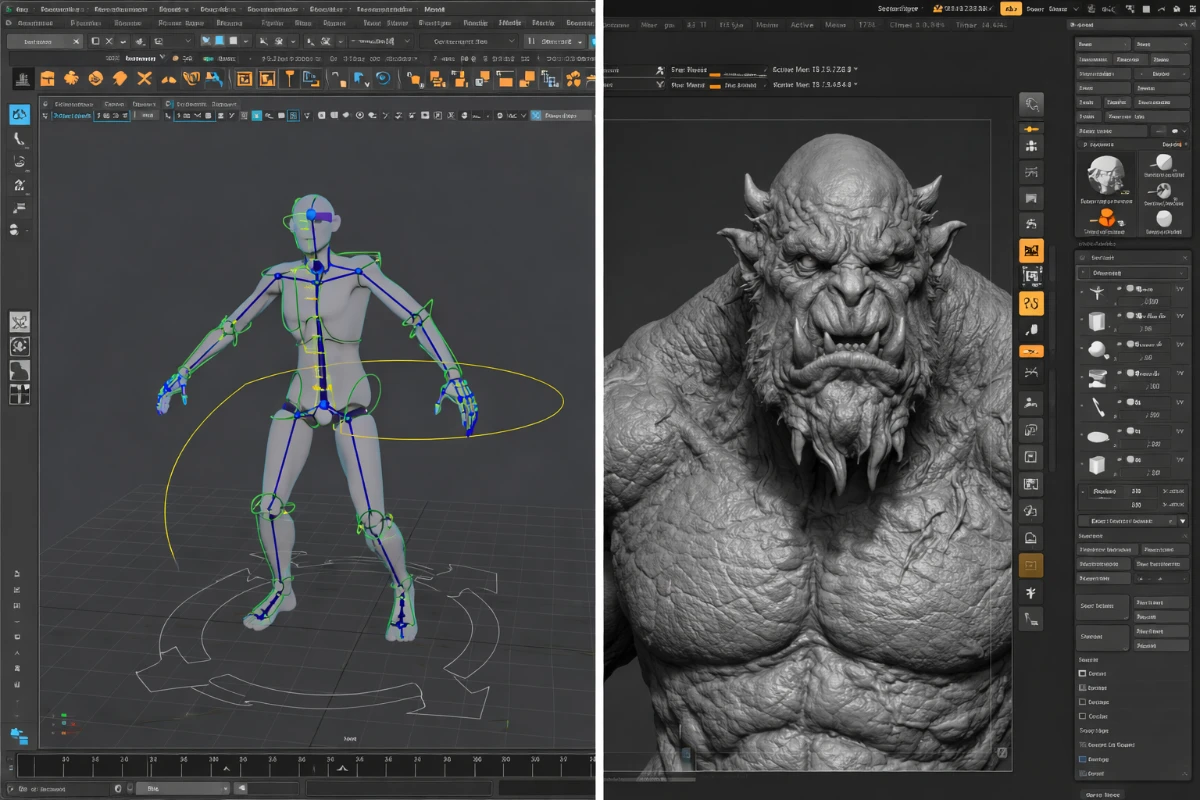
Maya and ZBrush are two of the most powerful 3D software tools in the industry, each excelling at different aspects of the 3D creation pipeline. Many professional studios use both tools together — Maya for structure and animation, ZBrush for sculpting and surface detail. Understanding their core differences helps you choose where to invest your learning time.
Autodesk Maya – Overview
Maya is a comprehensive 3D software platform used for polygon modeling, NURBS modeling, rigging, skinning, animation, simulation (cloth, particles, fluids), and rendering. It is the backbone of the animation pipeline in film studios, television production, and AAA game development. When you watch a Pixar film or a major video game cinematic, Maya was almost certainly involved.
What Maya Excels At
- Character rigging and skeletal animation
- Hard surface mechanical modeling (vehicles, props, environments)
- Visual effects simulation (cloth, hair, particles, fluids)
- Rendering with Arnold, RenderMan, or V-Ray integration
- Pipeline integration with other DCC tools
Maya’s Limitations
- Organic sculpting is very limited compared to ZBrush
- High poly detail work is slow and impractical in Maya
- Expensive subscription ($245/month or $1,945/year)
- Steep learning curve
ZBrush – Overview
ZBrush is a digital sculpting and painting software that operates on a fundamentally different paradigm from traditional 3D software. It uses a proprietary pixel+depth technology called “pixols” that allows it to handle meshes with hundreds of millions of polygons smoothly on standard hardware. Artists work with ZBrush through a library of brushes that deform, add, subtract, and smooth the virtual clay surface.
What ZBrush Excels At
- High-detail organic sculpting — skin pores, muscle definition, cloth folds
- Character and creature design
- Surface detail and texture work (alphas, surface noise)
- Hard surface design with dynamesh and panel loops
- Creating high-resolution meshes for 3D printing or baking normal maps
ZBrush’s Limitations
- Unconventional, non-standard interface — steep learning curve
- No animation tools
- Limited rendering capabilities (BPR renderer is basic)
- ZBrush files (ZPR) are not easily compatible with other software without export
Maya vs ZBrush – When to Use Each
- Use Maya for: Animation, rigging, simulations, hard surface technical modeling, rendering cinematic sequences
- Use ZBrush for: Character sculpting, creature design, high-detail surface work, 3D printing preparation, concept art in 3D
- Use both together: Block out low-poly base mesh in Maya → sculpt detail in ZBrush → retopologize → rig and animate in Maya. This is the standard professional workflow.
Which Should You Learn First?
For 3D printing specifically, ZBrush is more directly useful — it produces the high-detail organic models that make impressive prints. If your goal is game development or animation, learn Maya first. Most 3D printing artists start with ZBrush (or Blender’s sculpt mode as a free alternative) and add Maya later if needed for animation projects.
Learn more: Transition from Maya to ZBrush and How to Become a Beginner 3D Designer.